
Should I put 'Christmas gift' in my Amazon title?

Usually not. If your product is a Christmas product, such as an ornament, a stocking or an advent calendar, then “Christmas” describes what it is and belongs in the title. If your product is a coffee grinder that happens to make a good present, “Christmas Gift” is marketing, and Amazon’s title rules have very little room left for marketing.
The gift wording still has a job to do in December. It just does that job better in other fields of the listing, where it does not cost you title space, does not risk a policy flag, and can be taken out in January without touching the line every shopper reads first.
The title has less room than it used to
Amazon’s current US title requirements page sets a limit that surprises a lot of sellers who last read the rules a couple of years ago: titles must not exceed 75 characters, including spaces. Amazon’s reason is that mobile screens cut long titles off. To make up for the shorter title, Amazon added a separate field called item highlights, which gives you another 125 characters of comma-separated product details that show below the title in search results and on the detail page.
Now do the arithmetic. ”, Christmas Gift” is 16 characters, counting the comma and space. That is just over a fifth of a 75-character title, spent on two words that tell the shopper nothing about the product itself. In a title that also has to carry your brand, the product type, the key attribute, and a size, color or pack count, something useful gets pushed out to make room.
The same page lists the other title requirements:
- No promotional phrases. Amazon’s examples are “free shipping” and “100% quality guaranteed”.
- No subjective commentary. Amazon’s examples are “Hot Item” and “Best seller”.
- None of these characters: ! $ ? _ { } ^ ¬ ¦
- The same word no more than twice, brand names included. Prepositions, articles and conjunctions are exempt.
- Words in the order brand, flavor or style, product type, key attribute, color, size or pack count, model number.
“Christmas Gift” is not on Amazon’s list of example phrases, so it would be wrong to tell you it is banned outright. But “Perfect Christmas Gift for Him” is exactly the kind of subjective, promotional wording the guideline describes, and it sits in the spot Amazon wants filled with what the product is.
What happens if the title breaks the rules
Amazon is direct about this. For a listing that already exists, a non-compliant title “might be automatically corrected or it might not appear in our search results.” Suppressed titles show up under “Search suppressed and inactive listings” in Manage All Inventory.
There is a timing problem on top of that. Amazon says a title or item highlights change is accepted immediately but takes 24 to 48 hours to process and display. Edit a title in the second week of December, wait two days to see it live, discover it was corrected or flagged, fix it, and wait another two days. That is a meaningful slice of the selling season spent on one line of text.
Where gift wording should go instead
Each field on a listing has a different job. Gift wording fits some of them and not others.
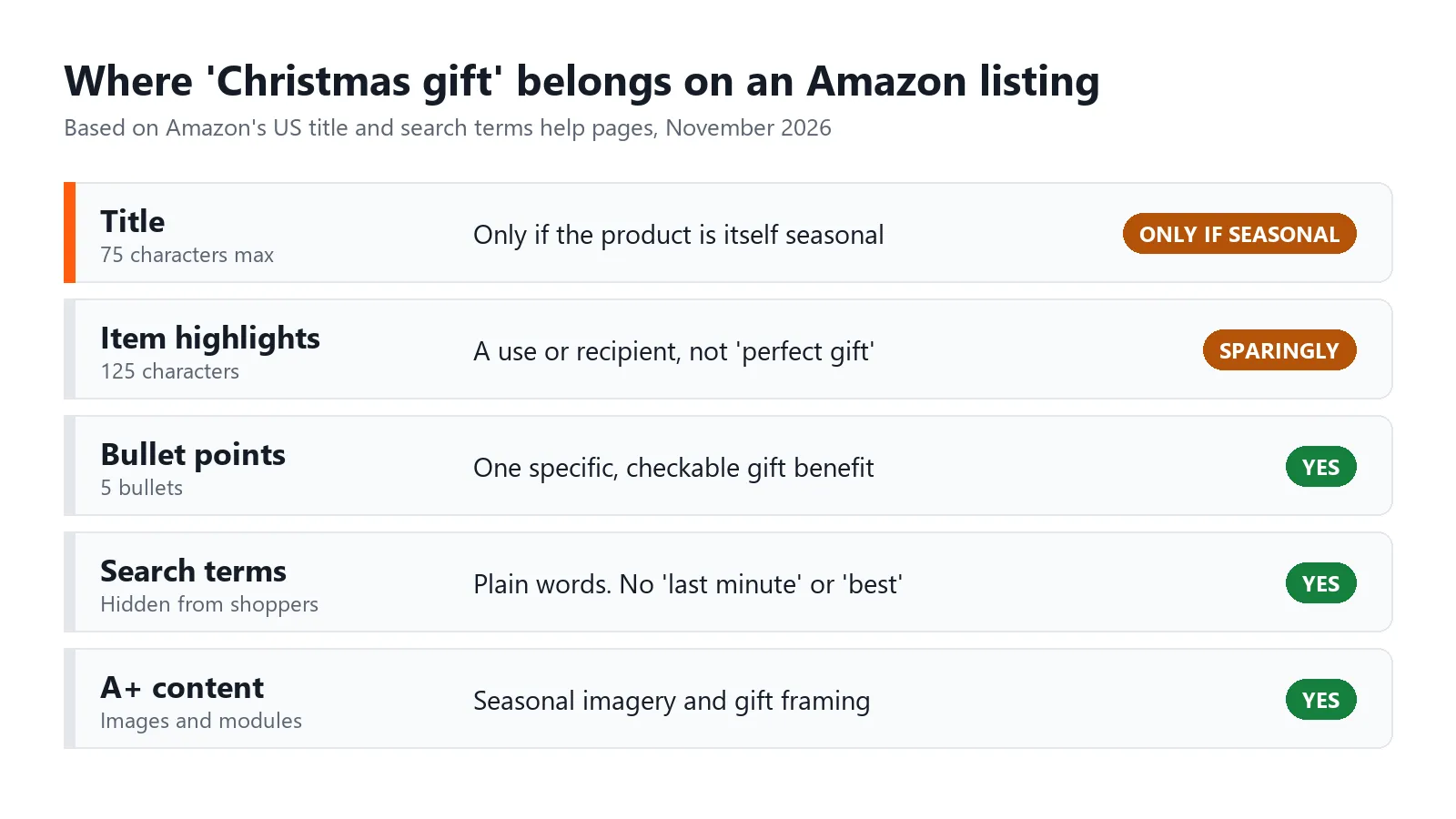
| Field | Gift wording? | Why |
|---|---|---|
| Title (75 characters) | Only if the product is itself seasonal | Space is for what the product is. Promotional phrasing is against the rules. |
| Item highlights (125 characters) | Sparingly, as a use or recipient | Amazon describes it for product details like materials or recommended use. “For coffee lovers” fits; “perfect gift” does not. |
| Bullet points | Yes, as one specific benefit | A bullet can say who it suits and why, such as gift-ready packaging, if that is true. |
| Search terms (generic keyword field) | Yes, plain words only | Shoppers never see this field, and it is the cleanest place to add “christmas gift for dad”. |
| A+ content | Yes | Seasonal imagery and gift framing fit here, and it does not affect the title. |
The search terms field is where most of the seasonal value is. Amazon describes it as keywords used for “lexical matching between an ASIN and a query”, which means a phrase like “stocking stuffer” can help a listing match that search without the words appearing anywhere a shopper reads. Amazon’s own tips for the field: use all lowercase, separate words with spaces, skip punctuation, avoid repeating words, skip short filler words like “for” and “the”, and use either singular or plural, not both. The field stops accepting input when you reach the byte limit.
The search term words that will get you in trouble
This is the part sellers get wrong in December, because the natural holiday vocabulary overlaps with Amazon’s prohibited list.
Amazon’s search terms page says prohibited words can get your ASIN suppressed and put your account health at risk. It groups them into categories, and two of them are full of holiday words.
Temporary words, by Amazon’s own examples: available now, brand new, current, discounted, just launched, last chance, last minute, latest, limited time, new, on sale, this week, today.
Subjective words: amazing, best, cheap, cheapest, effective, fastest, good deal, least, most, popular, trending.
So “last minute christmas gift”, “best gift for mom” and “trending stocking stuffer” each contain a word Amazon names as prohibited. “christmas gift for mom” and “stocking stuffer” contain none. Brand names, including other people’s brands, and ASINs are also on the list, so “gift like [competitor]” is out too.
Make the gift case with specifics
A shopper buying a present is trying to answer a narrow question: will this person like it, and will it arrive looking like a gift. Copy that answers that question does more than the word “gift” does.
Compare two bullets for the same grinder:
- “Perfect Christmas gift for any coffee lover this holiday season.”
- “Ships in a printed box, ready to wrap, with a cleaning brush and a 12-cup bean hopper.”
The second one never says gift, and it is the more persuasive gift bullet, because it gives a shopper facts they can check. It is also safer: it makes no claim you cannot back up, and it does not go stale on January 2nd. We wrote more about how concrete use, audience and occasion details help Amazon understand a product in how Amazon knows your product is for camping, which covers Amazon’s published COSMO research.
The same thinking applies to item highlights. “Ceramic burrs, 15 grind settings, for drip and espresso” reads as product detail, which is what the field is for, while also telling a gift buyer it suits the person they have in mind.
Take it out in January
Seasonal wording has an expiry date. Plan the removal when you add it.
- Search terms: swap “christmas gift” for whatever comes next, such as “valentines gift” if it genuinely fits, or general recipient words like “gift for dad” that work all year.
- Bullets and A+: anything that says “this holiday season” reads as stale in February. Write the gift bullet so it holds up all year, or put a reminder in your calendar.
- Title: if you followed the advice above, there is nothing to undo.
Whatever you change, remember the 24 to 48 hour processing window, and make the edit early in the week rather than the day before a sale you care about.
A quick checklist before you hit save
- Is the title 75 characters or fewer, including spaces?
- Does every word in the title describe the product itself?
- No promotional or subjective phrasing anywhere in the title?
- Gift and occasion words placed in search terms, bullets or A+?
- No temporary or subjective words in search terms, including “last minute”, “best” and “limited time”?
- A date in your calendar to take the seasonal words out?
If you want the longer version of what a good title looks like, our post on the Amazon title format for 2026 covers the structure, and writing Amazon bullet points covers how to make each bullet carry one concrete point. If you are wondering whether any of this changes with Amazon’s new shopping assistant, see do I need to rewrite my listings for Alexa for Shopping.
Check your listing before the holiday rush
ListPilot writes titles inside the 75-character limit, puts the extra detail into item highlights, and checks generated copy against Amazon’s suppression rules before you publish it. The free scan reads your live listing and flags promotional and time-limited wording, such as “limited time”, “on sale” and “best seller”, that could get it suppressed.
Run a free scan on your listing and see what it finds before your next edit goes live.